This summer, the Library added the LibKey API service (developed by software company Third Iron) to its search and discovery tools. LibKey will help you chart the quickest path from a record of (or reference to) an article, to the full text of the article itself.
For instance, once you’ve found an article in a Library Primo search, you will see that LibKey immediately generates several links below the title of the article. These will let you “Read Article” or “Download PDF” with one click. Additionally, for many articles, you will see a link to “View Issue Contents.”
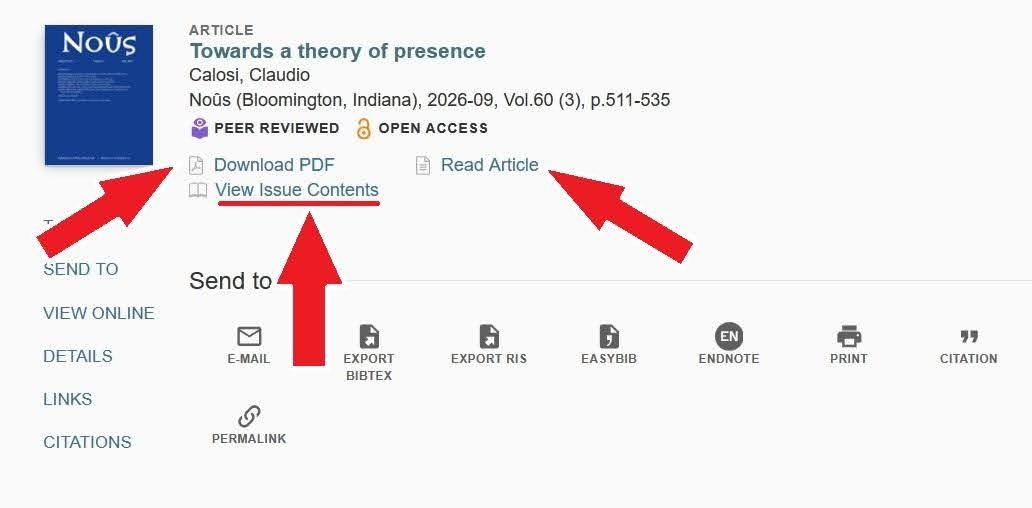
Clicking “View Issue Contents” will take you into an associated Third Iron application called BrowZine, where you can browse the article in its original journal context. More broadly, the BrowZine app lets you browse thousands of peer reviewed journals, available through the GFU Library, in an attractive and user-friendly interface.
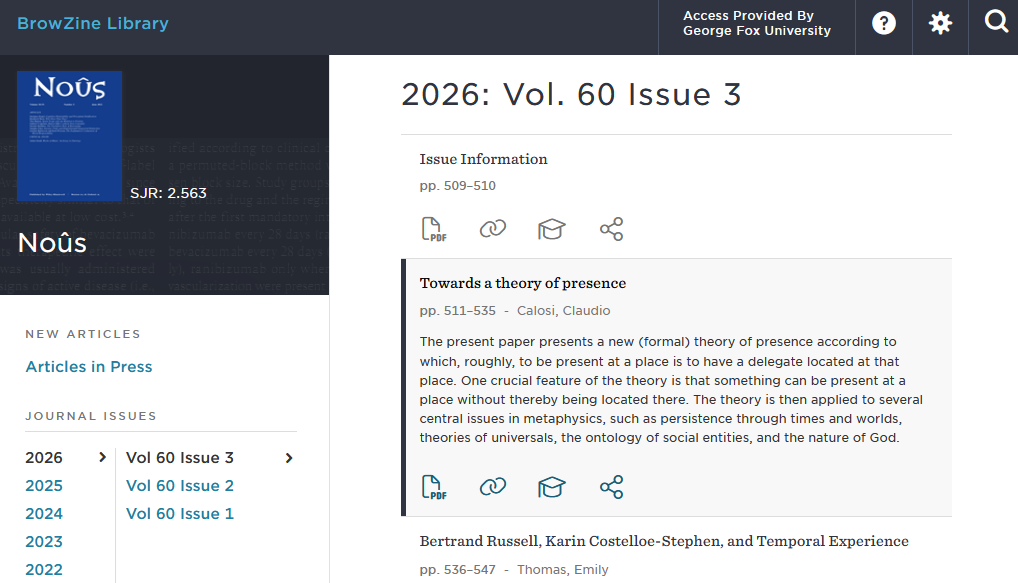
However, do note that not all the journals available through the Library will appear in BrowZine (such as many excellent, but non-peer reviewed, journals), so we also recommend consulting the Find a Journal Search on the Library homepage.
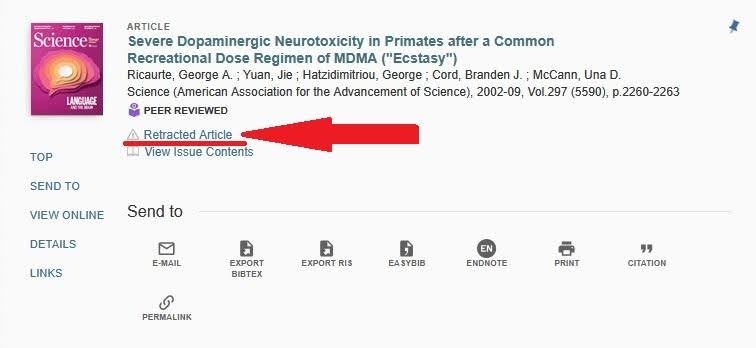
Sometimes you will see that LibKey generates a notice below an article record, indicating that the article has either been retracted, second-order retracted (when an article includes a retracted paper in its citations) or that a formal expression of concern has been attached to the article by journal editors. These notices increase transparency, and help you judge the quality of the scholarship you encounter. You can still choose to read these articles by clicking on the “Retracted Article” link.
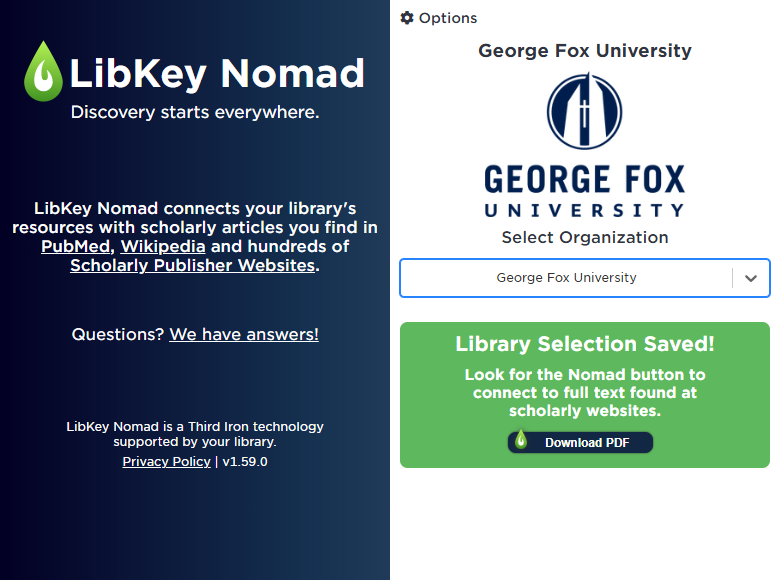
Finally, Third Iron has developed a browser extension called LibKey Nomad. Once installed, Nomad will scan any internet page you visit for DOIs (digital object identifiers) of articles and e-books. Whenever it finds a DOI, Nomad will automatically generate a link to the full text available through the GFU Library.
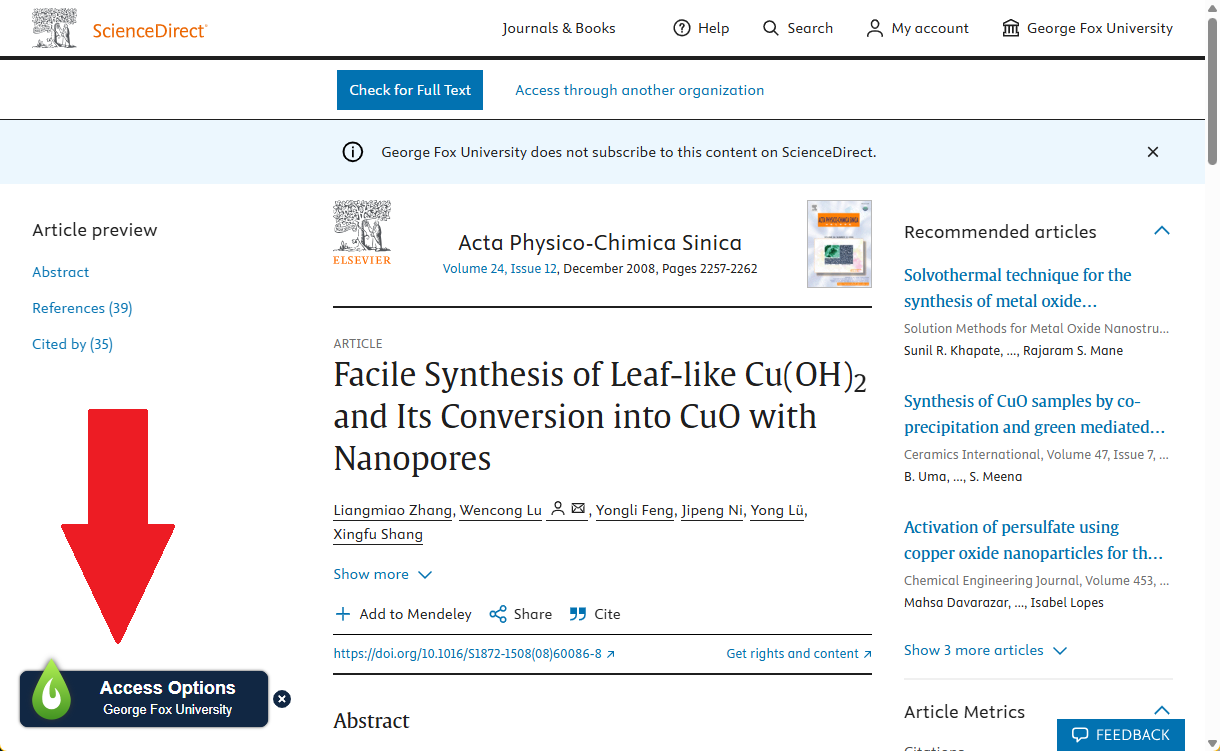
To get started, install the LibKey Nomad extension for your browser of choice. Then, search for and select “George Fox University” in the list of associated institutions. That’s it! You will now see the “green tongue of fire” Nomad link on any page that mentions an article to which we have access.
So for instance, on a publisher’s website (such as Elsevier’s ScienceDirect), you will see the Nomad icon hovering at the bottom of an article’s page.
Or, say you’re planning a research project with the help of Google Gemini (available as a part of your GFU Google account). Anytime Gemini suggests a DOI for a specific article, you will see Nomad immediately generate a link to that article in the chat. However you choose to research using the internet, Nomad will help funnel your query back to where you have access to a resource through the GFU library!
For more information about LibKey, BrowZine, Nomad, and more, see the LibGuide we’ve created on this topic, and reach out to us with any questions.